As a teacher, it is possible to access a child’s entry history and send it by email. Follow these steps to do it.
1. Log in to your teacher account on the Daily Connect app.
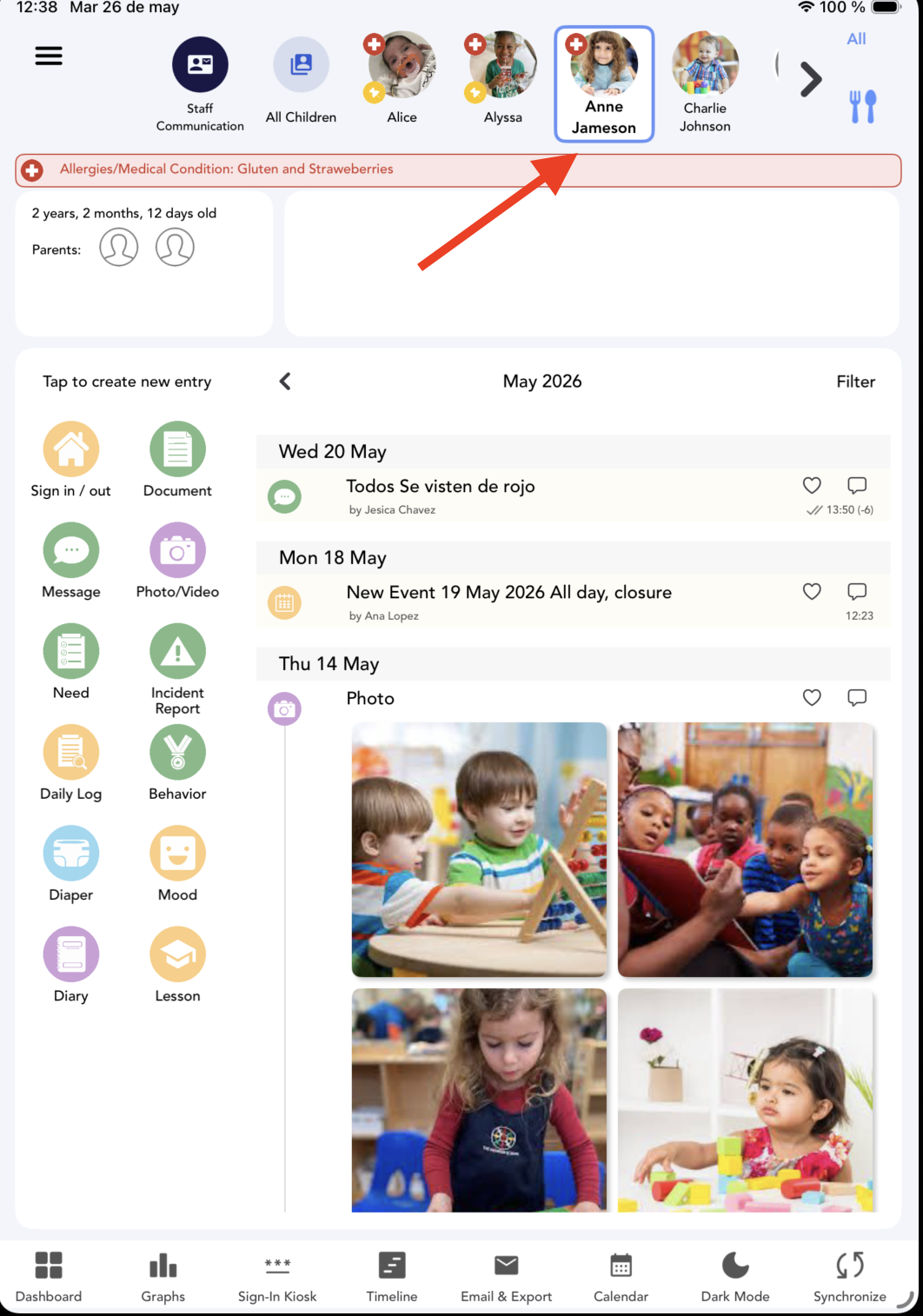
2. Select the Kid :
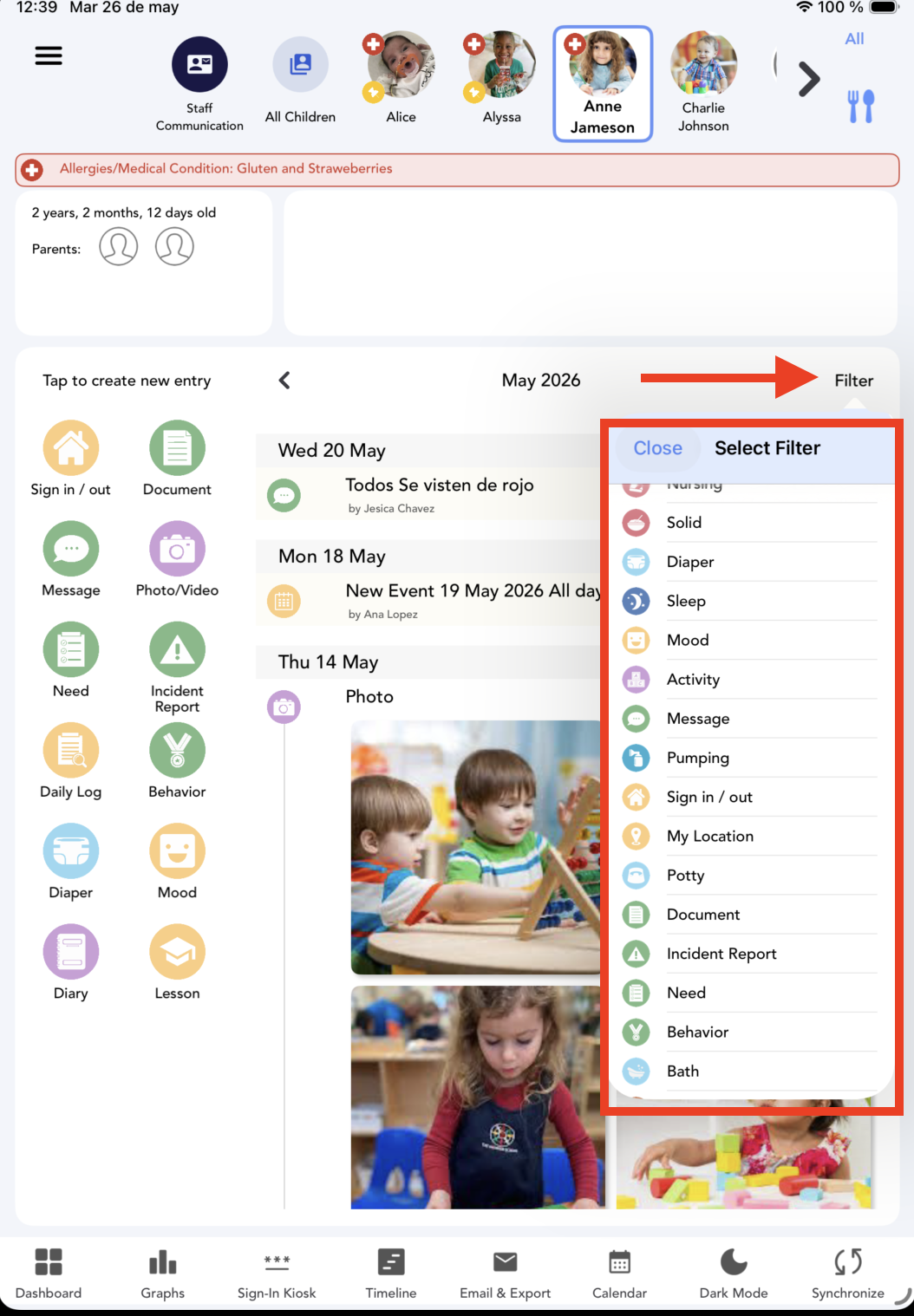
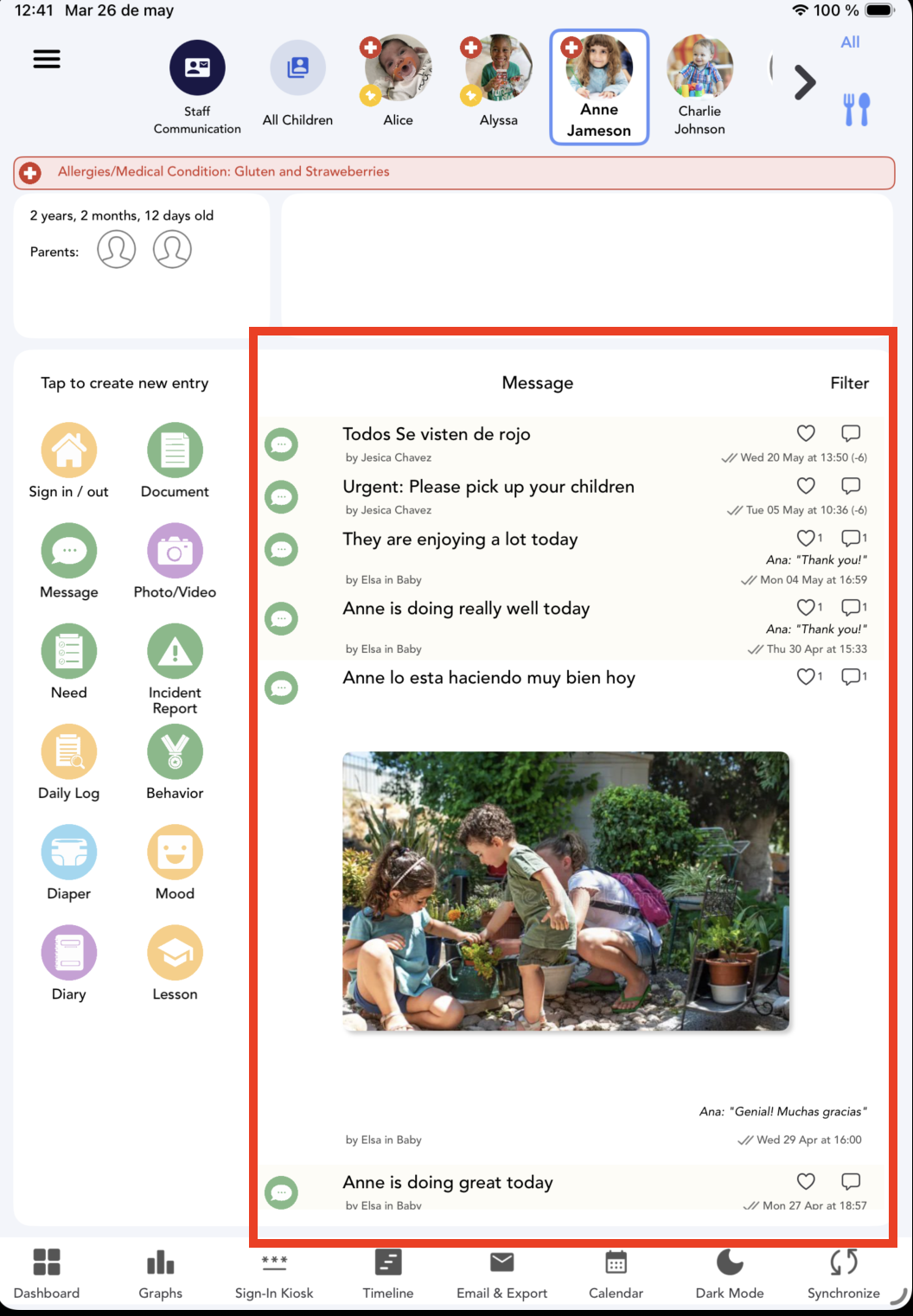
3. Click on Filter and select the entry type:
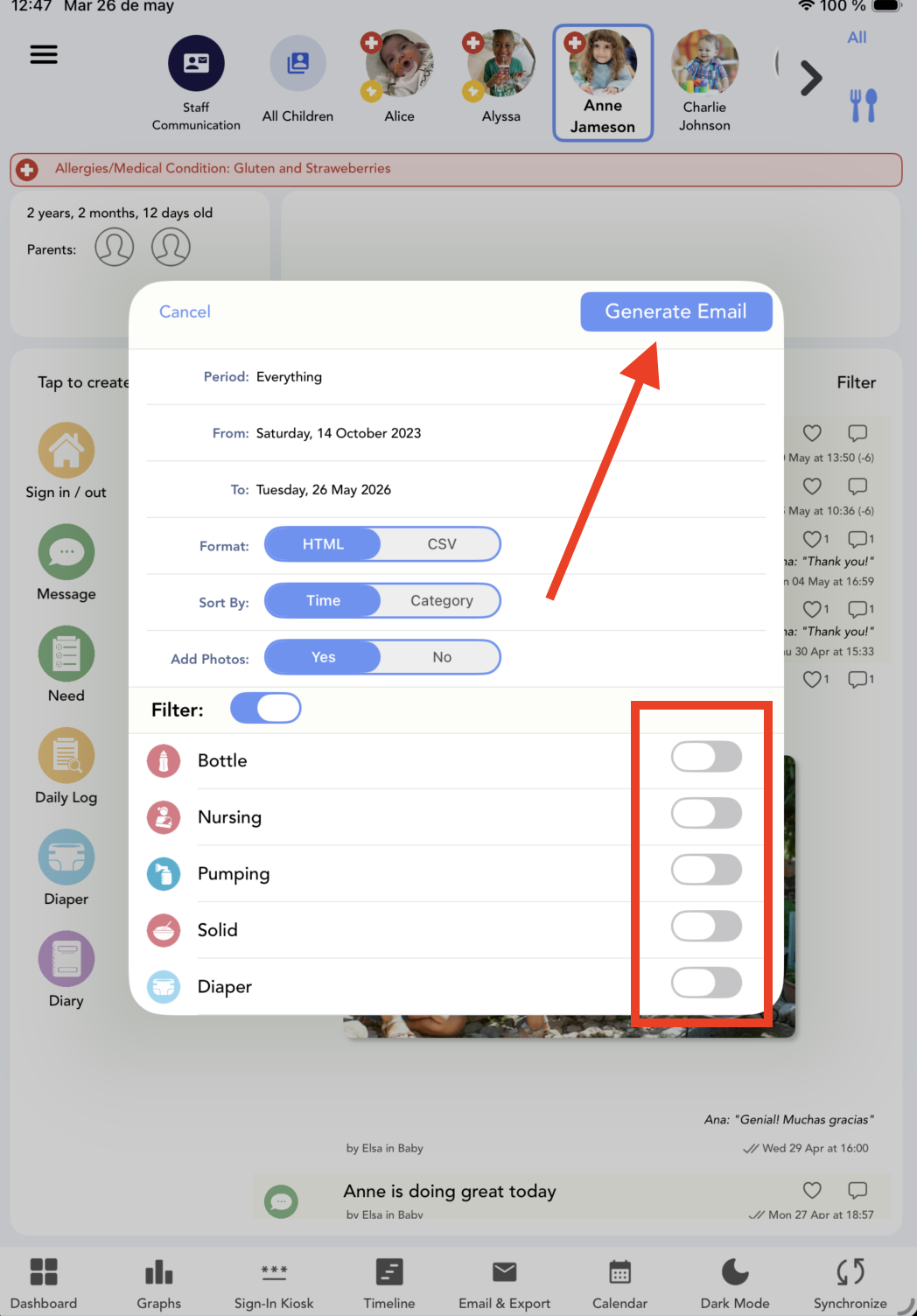
4. You can send reports of these entries via email if you want. Select Email&export :
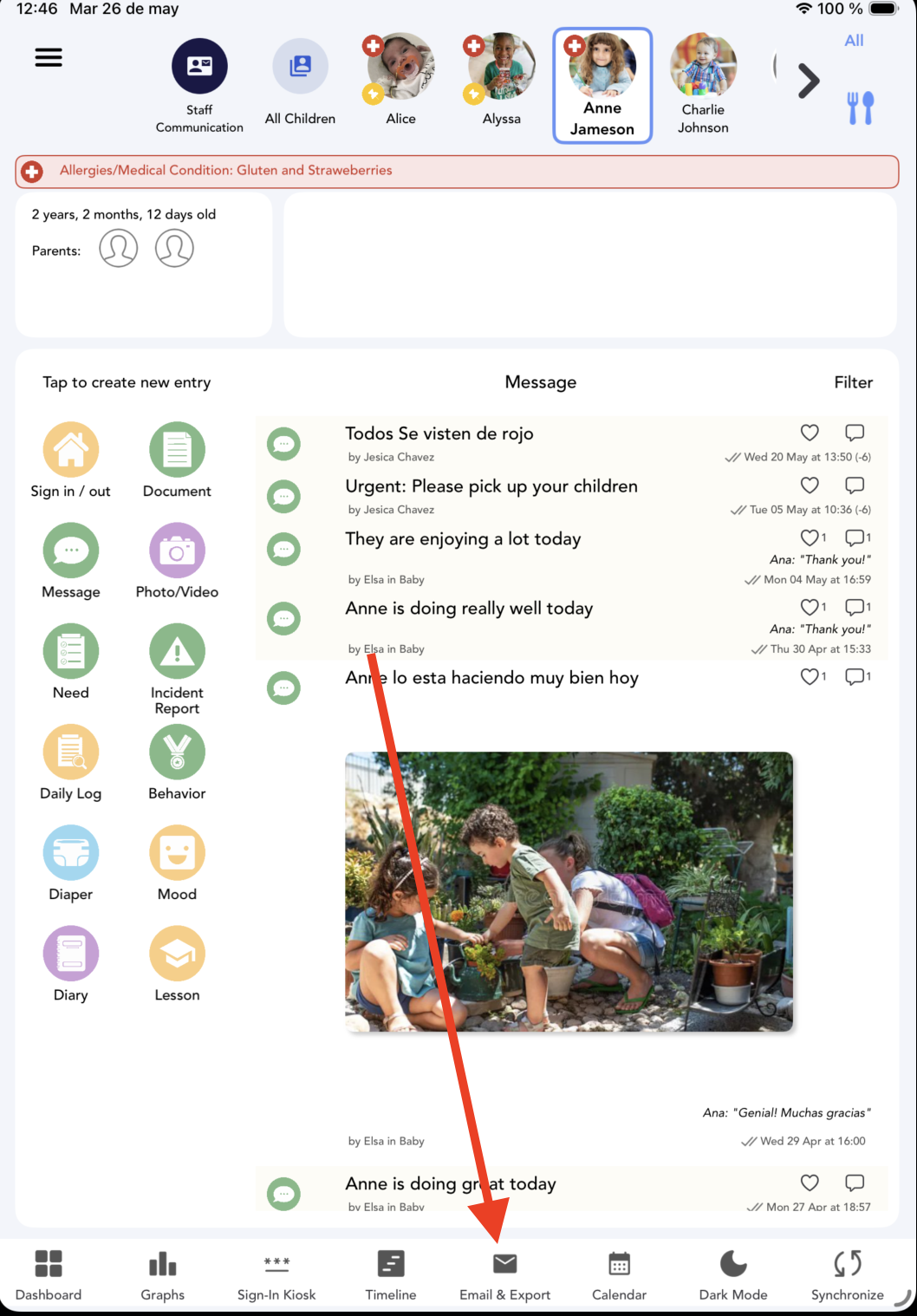
5. Select the entry type and click on Generate email:
And that's it!
Was this article helpful?
That’s Great!
Thank you for your feedback
Sorry! We couldn't be helpful
Thank you for your feedback
Feedback sent
We appreciate your effort and will try to fix the article