... ...
Skip to main content

How to download information from a child’s entries.

Modified on Wed, 11 Mar at 4:36 AM

In Daily Connect, it is possible to retrieve information about one or several types of entries that have been recorded in a child’s profile during a specific period of time.


Follow these steps:


1. Log in to your admin account on the Daily Connect app.


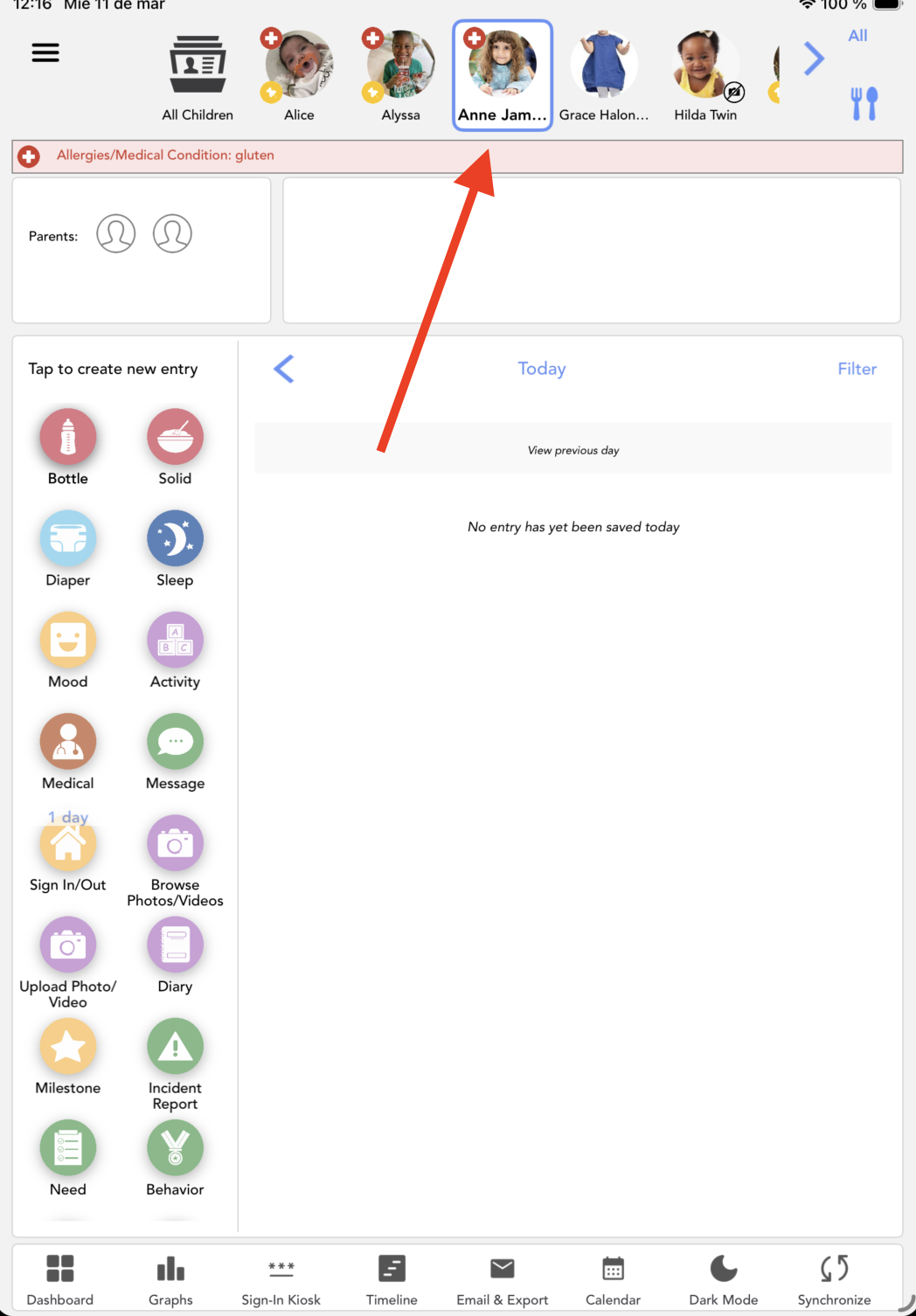
2. Select the child for whom you want to generate the report:


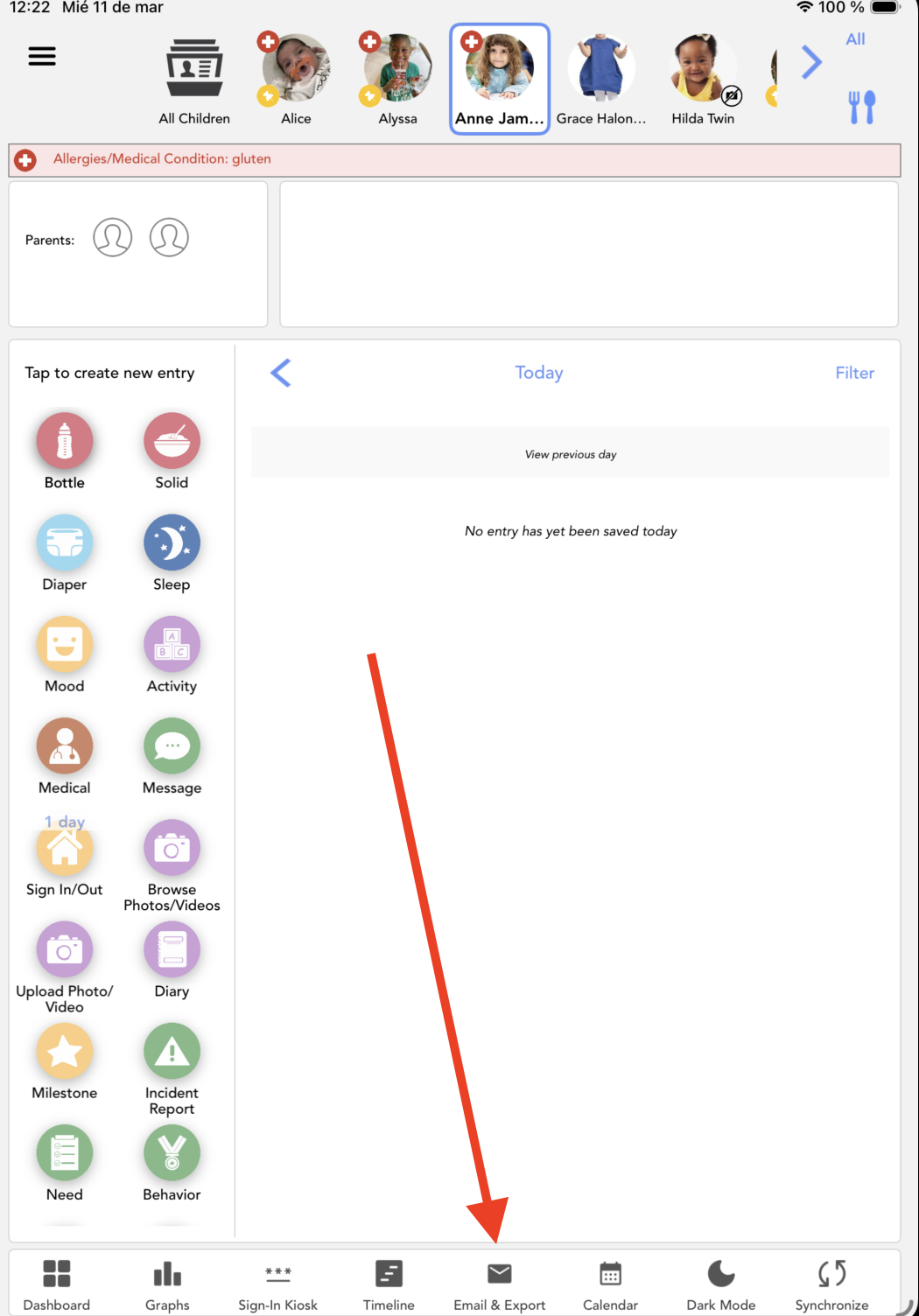
3. Click on Email & Export:


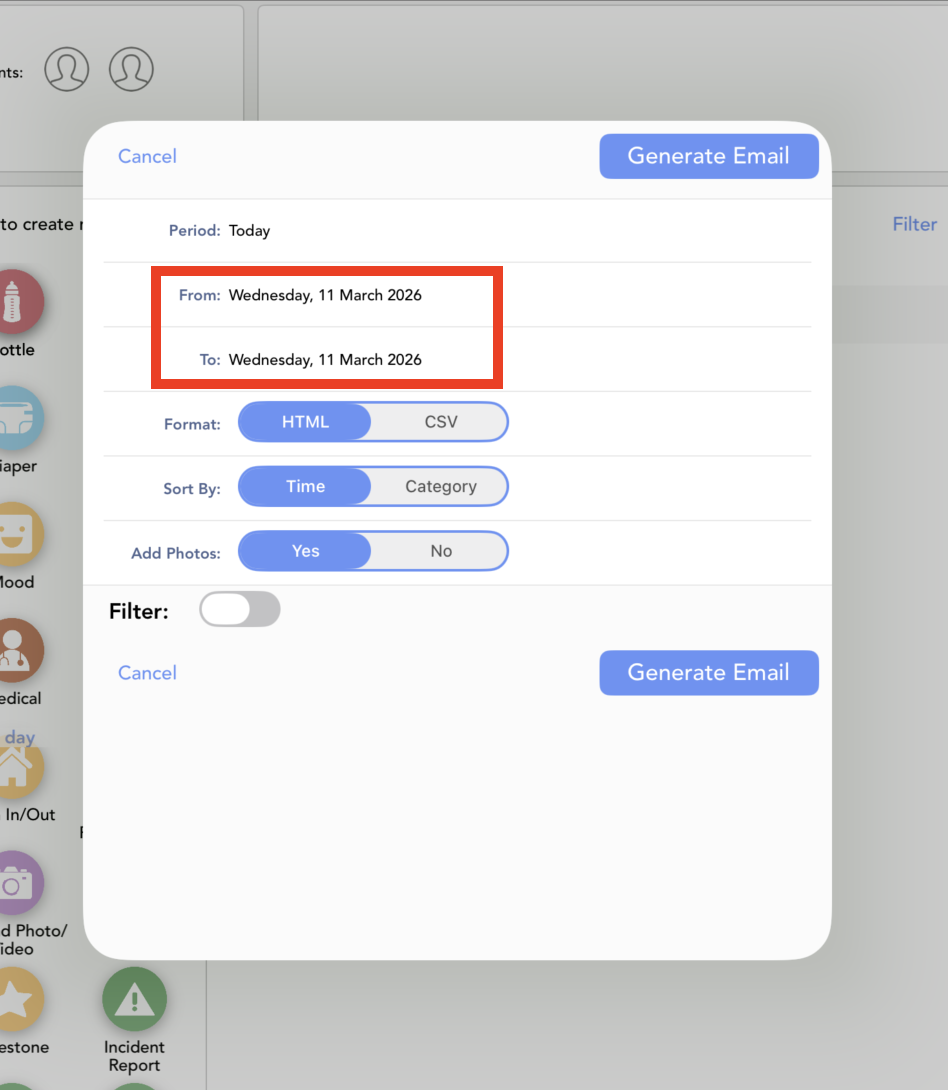
4. Select the period:


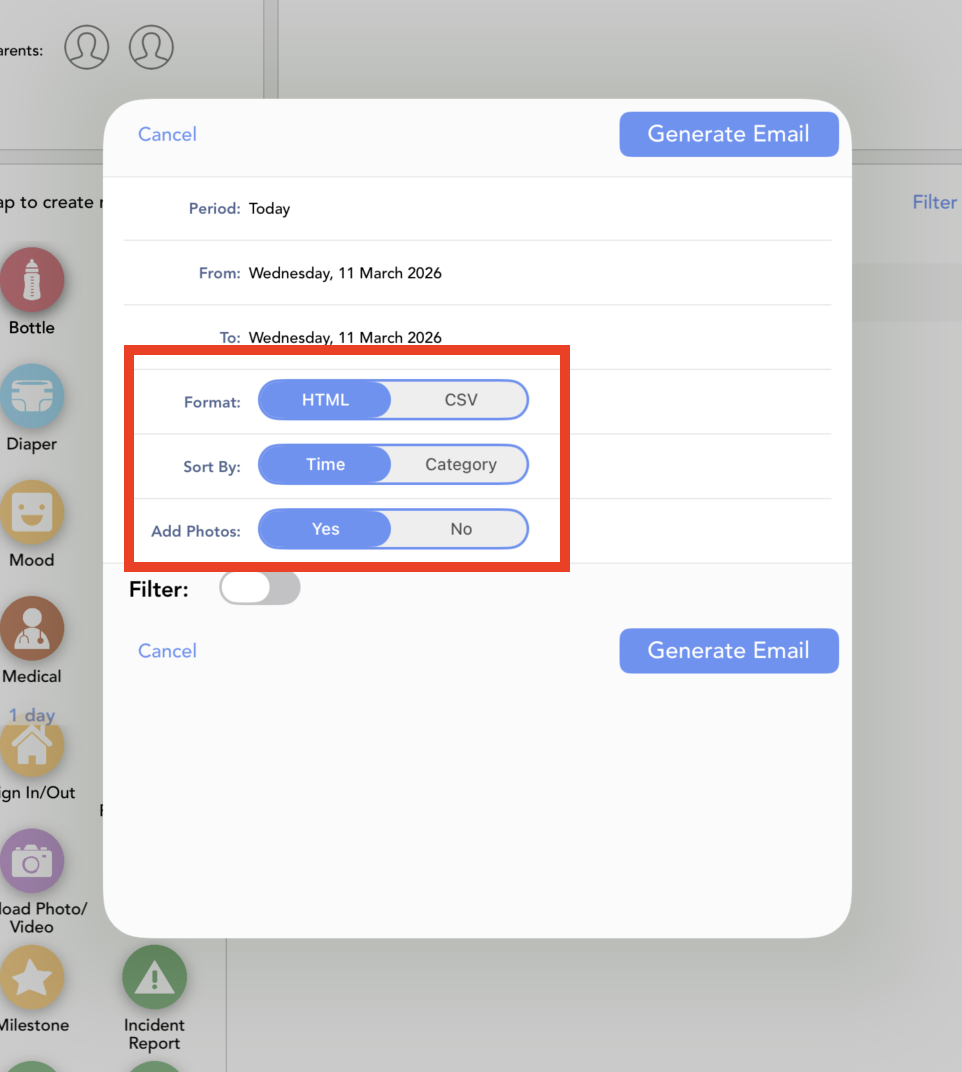
5. Configure your options:


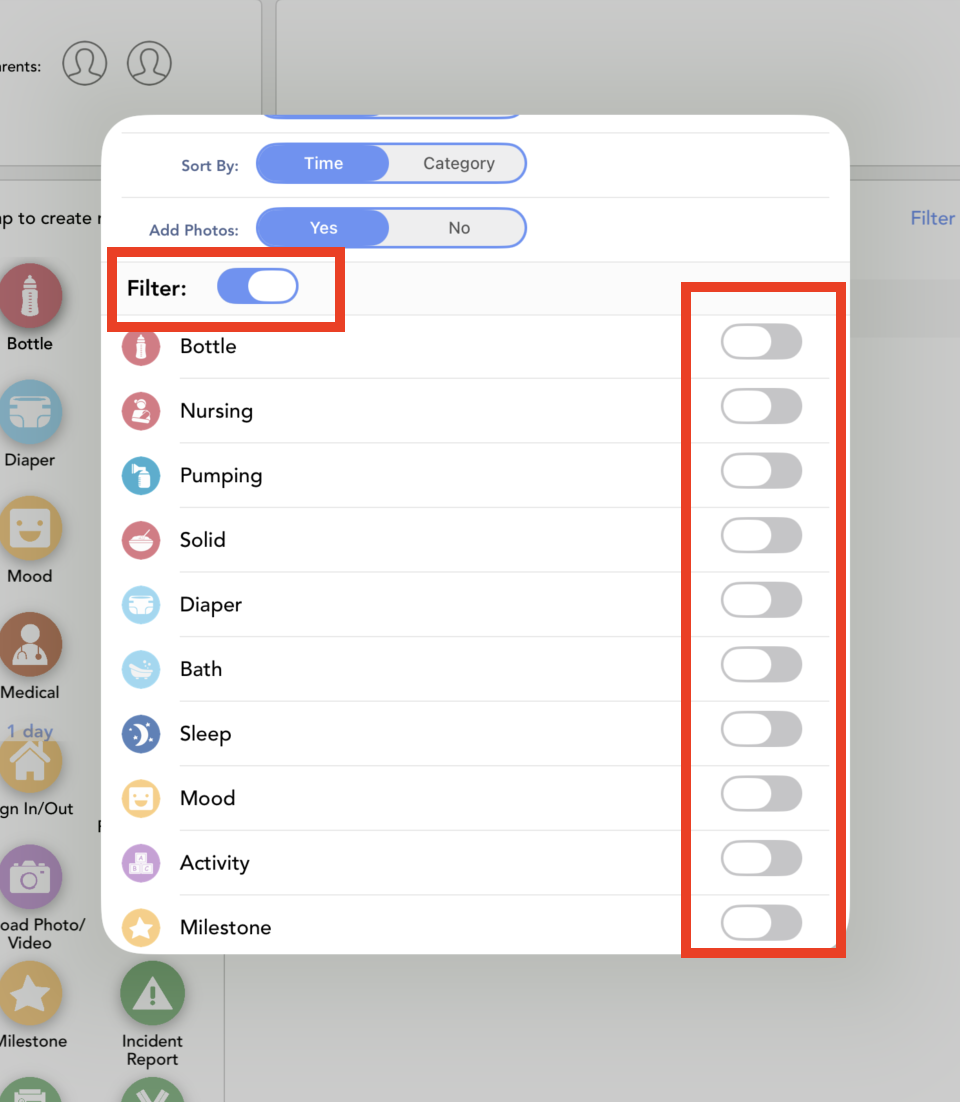
6. Choose the entries enabling the filters here:


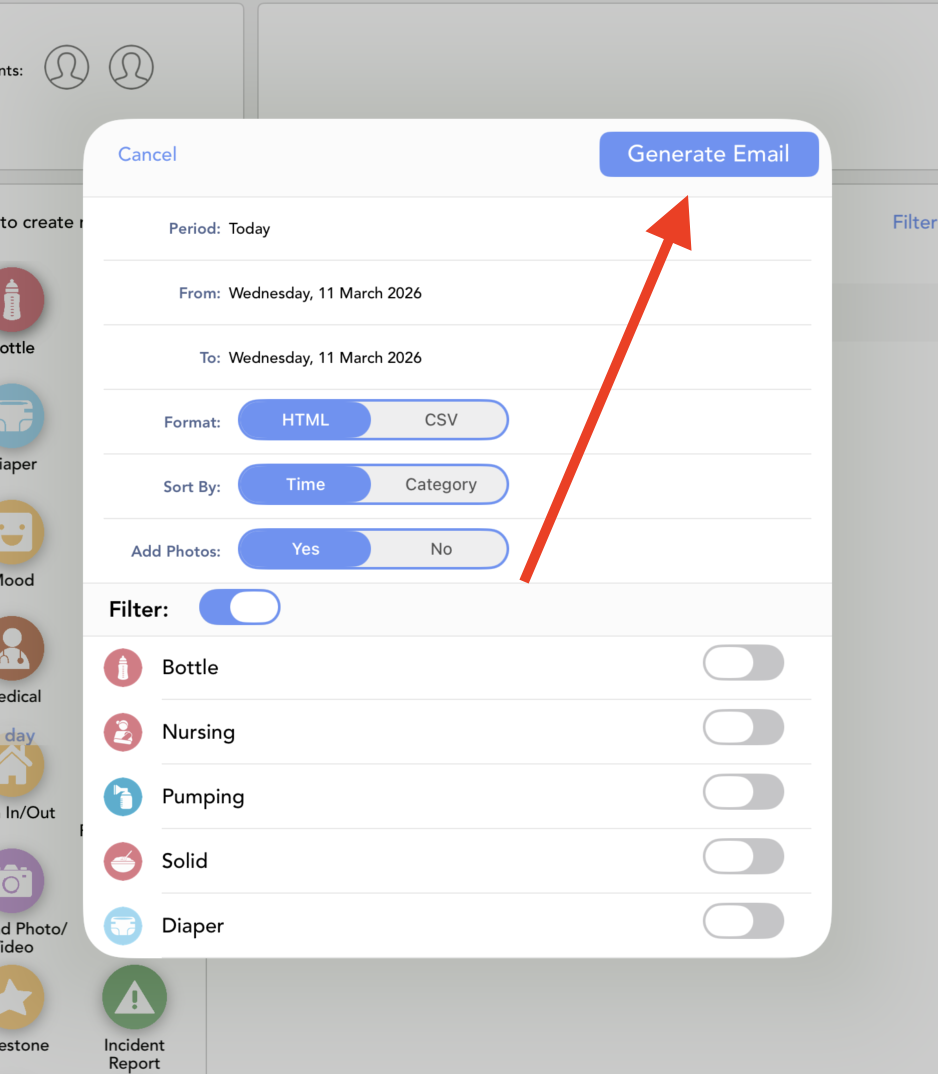
7. You can generate the email with all the information:


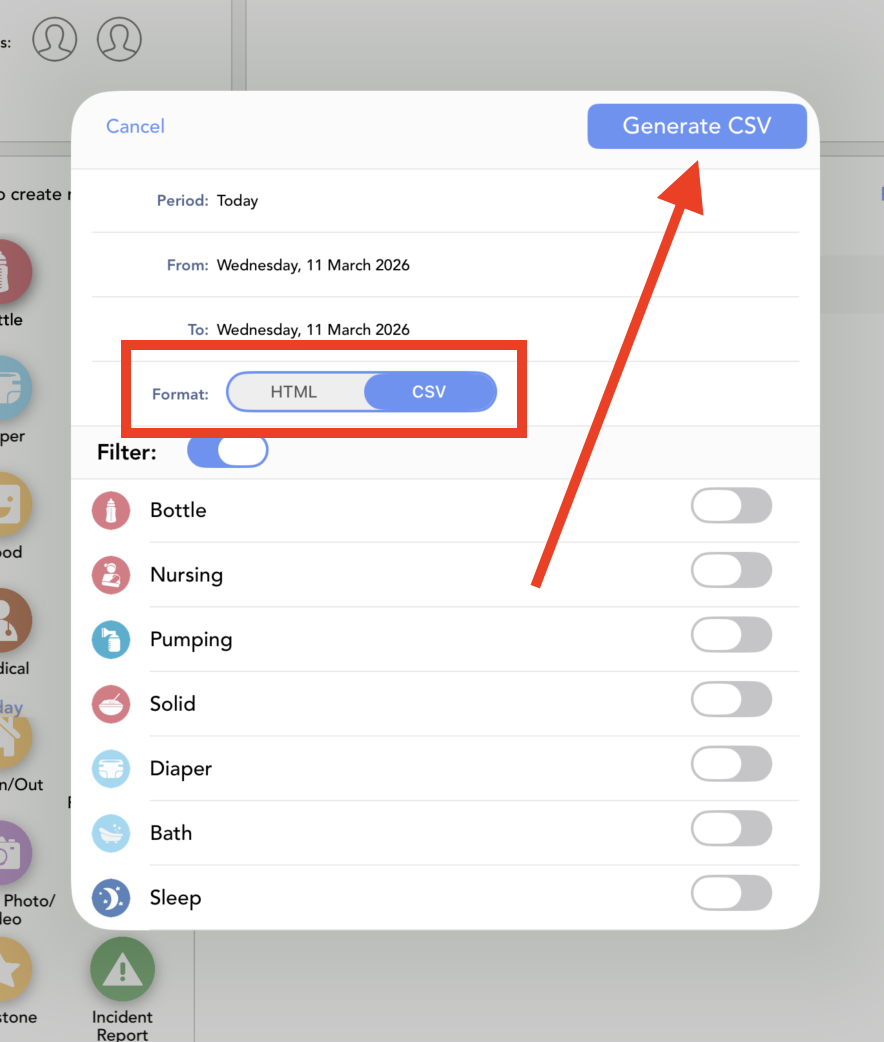
8. Or generate the CSV with all the info:


Was this article helpful?

That’s Great!

Thank you for your feedback

Sorry! We couldn't be helpful

Thank you for your feedback

Let us know how can we improve this article!

Select at least one of the reasons
CAPTCHA verification is required.

Feedback sent

We appreciate your effort and will try to fix the article