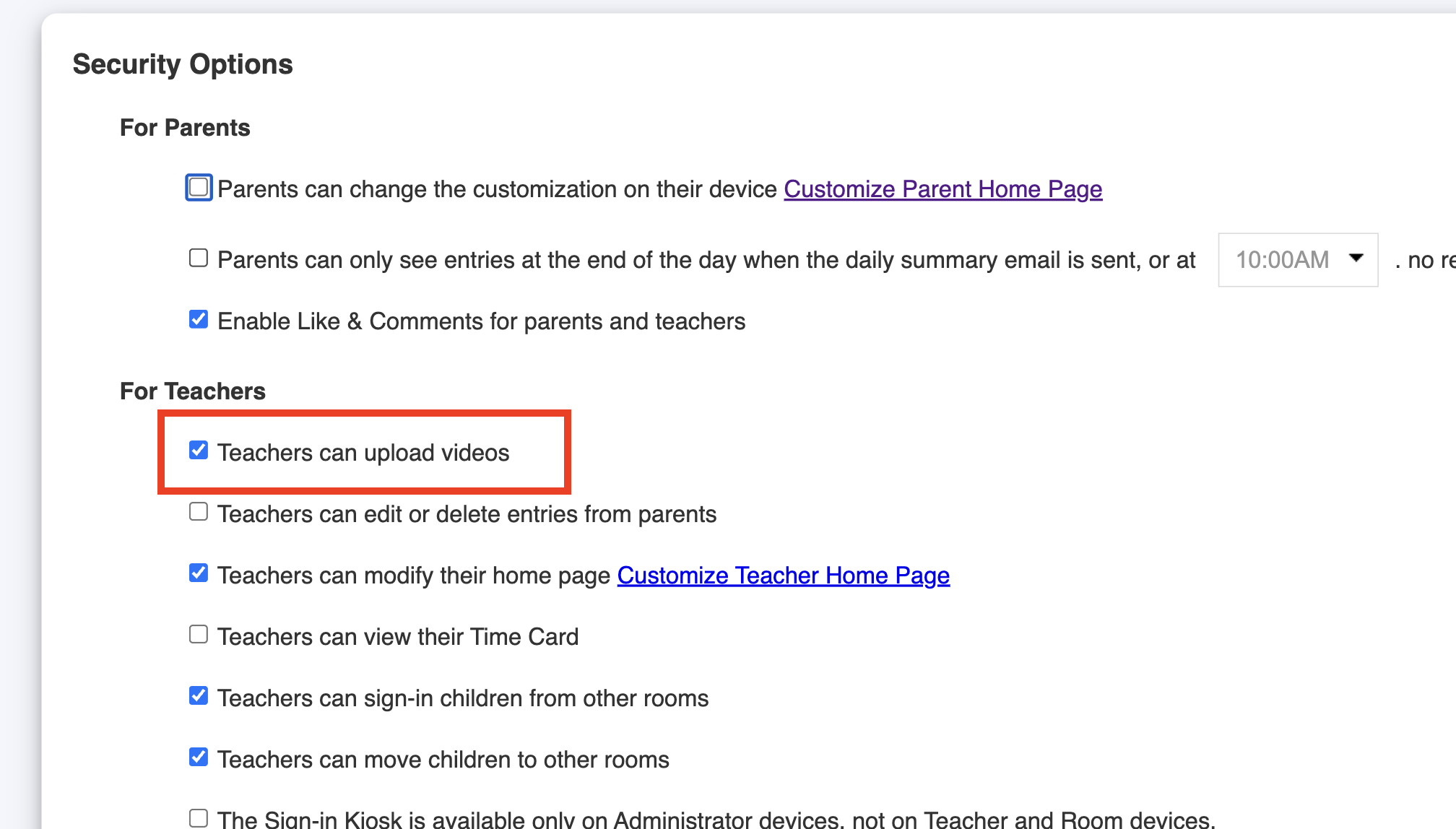
In your childcare center, you can allow or prevent teachers from uploading videos and sharing them with parents.
Follow these steps:
1. Log in to your admin account on the Daily Connect website.
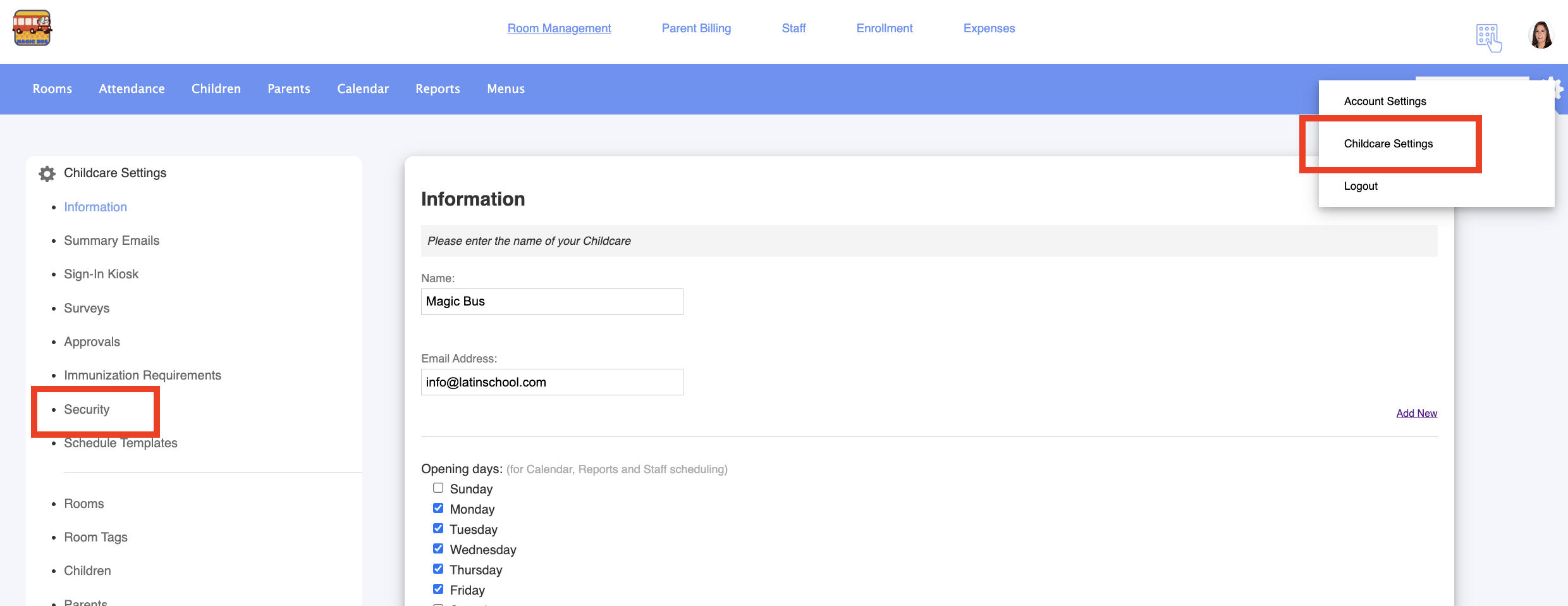
2. Go to Childcare settings > Security:
3. Enable or disable this option:
Was this article helpful?
That’s Great!
Thank you for your feedback
Sorry! We couldn't be helpful
Thank you for your feedback
Feedback sent
We appreciate your effort and will try to fix the article