We've been hard at work on some exciting updates, and we're ready to share the latest features and enhancements designed to make Daily Connect even better for you and your center this year.
Virginia State Attendance Integration
Good News for our US Customers. Daily Connect now integrates with KinderConnect, Virginia’s new Child Care PASS attendance system.
Children Roster Report Update
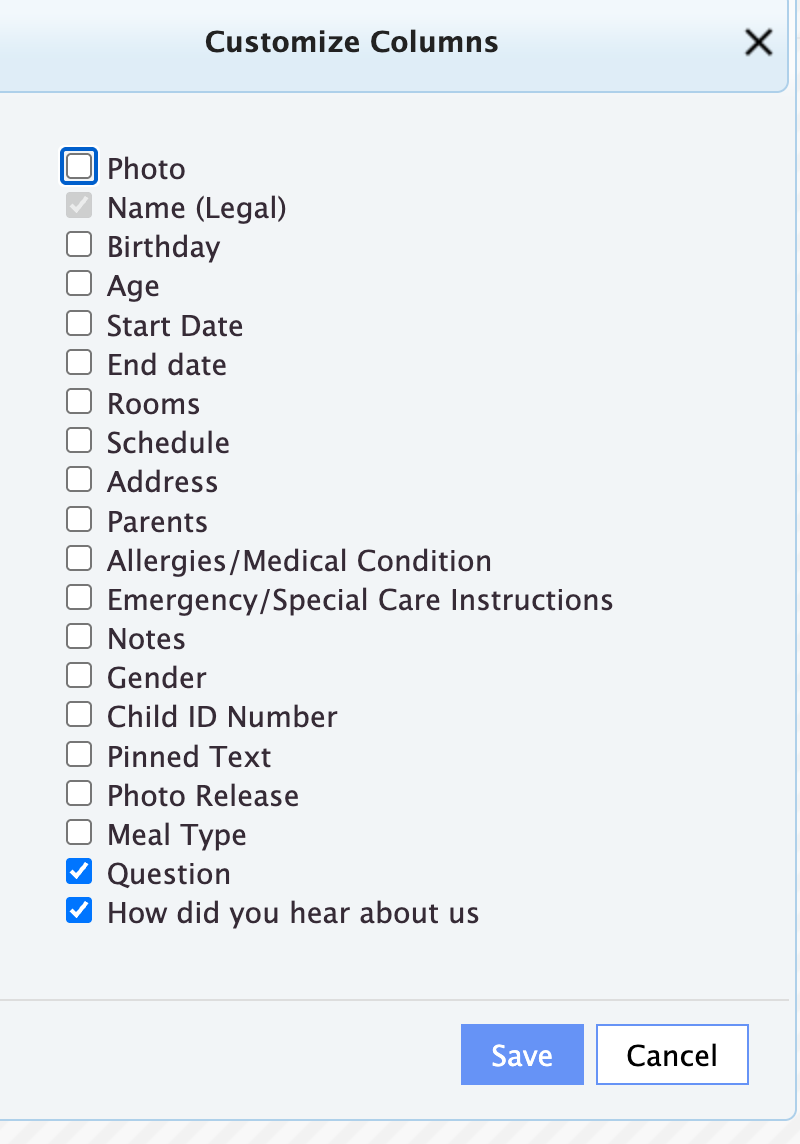
Now you can display your custom fields directly in the Customizable Children Roster Report. Whether you're tracking t-shirt sizes, pickup authorization, or dietary needs, you can pull exactly the report you need.
Check this video out to discover how you can customize your reports.
Parent App Update
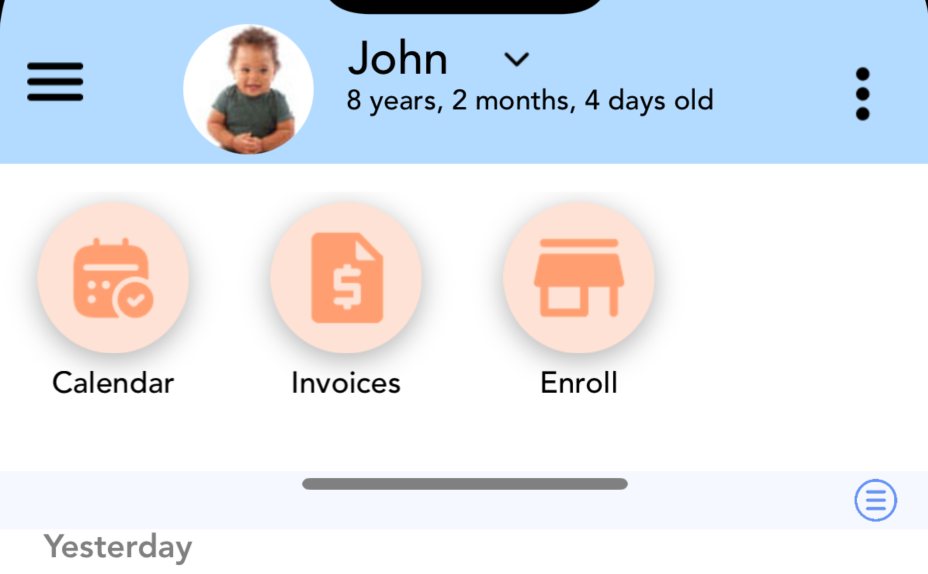
Parents can now access Calendar, Invoices, and Store/Enrollment directly from their home page with new quick-access buttons, helping them access important updates more easily than ever. Don’t worry, all of these sections of the app will still be accessible in the menu too!
Learn how to enable these icons for parents.
Room Management Update
Rooms can now be archived or unarchived from Childcare Settings → Rooms.
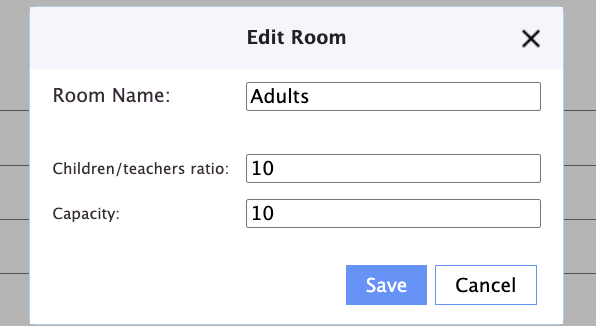
A new Capacity field is now available in Room Settings, allowing Directors to set the maximum capacity for each room in their center. This will be used in dashboard reports to show room availability and occupancy percentages.
?️ Attendance
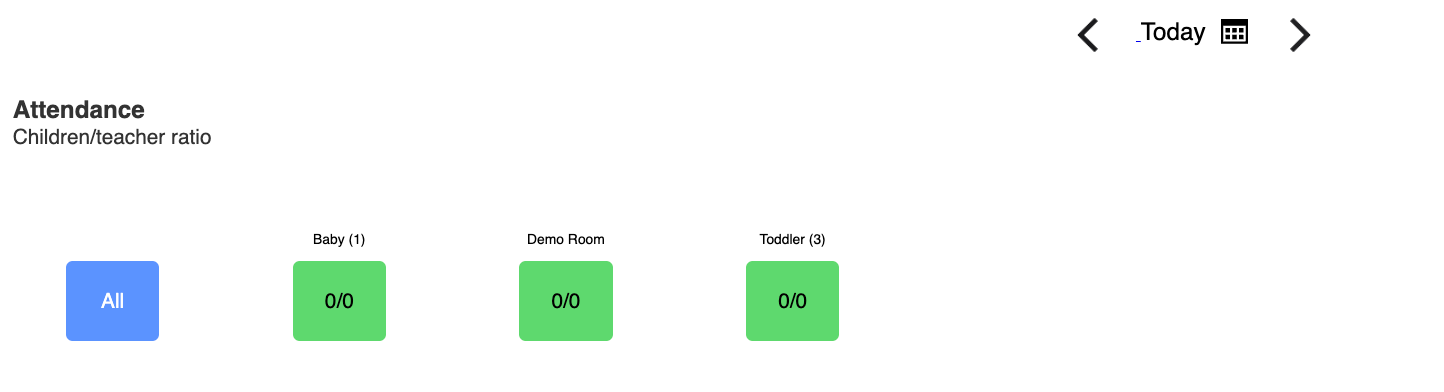
Attendance Page Update: The total number of children enrolled in each classroom is now displayed next to the classroom name.
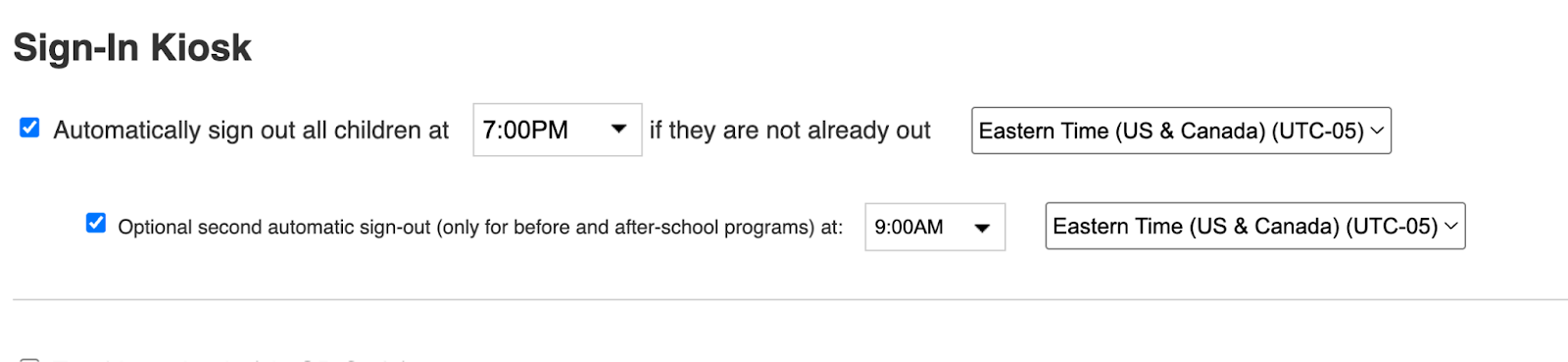
Second optional automatic sign-out: We’ve added a second optional automatic sign-out time. This is especially helpful for programs offering before- or after-care, as it allows you to set an additional automatic sign-out time when needed.
? Staff Management Tools
New Security Options: You can now restrict teachers from adding or removing child profiles for improved security and control. You can update these settings in the Daily Connect Web Application, just click on Childcare Settings → Security.
Lock the Ability to Update Learning Frameworks: now, only administrators with Edit Childcare Settings privileges can update learning frameworks in Daily Connect.
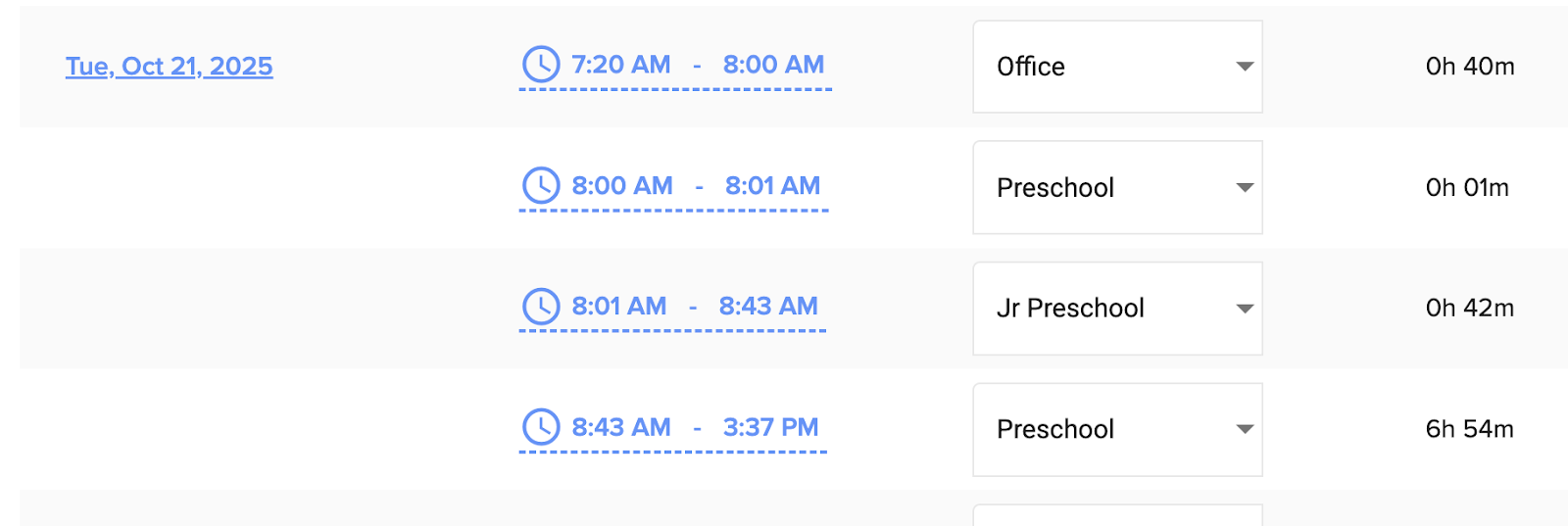
Staff Time Cards: Cards now show classroom change times and classroom names—in addition to first-in and last-out times—for clearer and more accurate records.
? Enhanced Parent Communication
Send Photos with Bulk-Messages: You can now send photos along with your mass messages, making it easier to share updates, announcements, and moments with families. Find it under Childcare Settings → Send Message/Document.
Auto-approval: This feature allows you to set automatic approvals. If you don't have time to review Photos, Incidents, Messages, and Observations before they’re sent to parents, you can set Daily Connect to automatically approve features after 24 or 48 hours, or hold everything for your approval (Learn more)
Observations Update: Descriptions are now optional for Observations. If no description is provided, “Observation” will be added automatically.
Survey Update: Administrators now receive notifications when a survey is submitted.
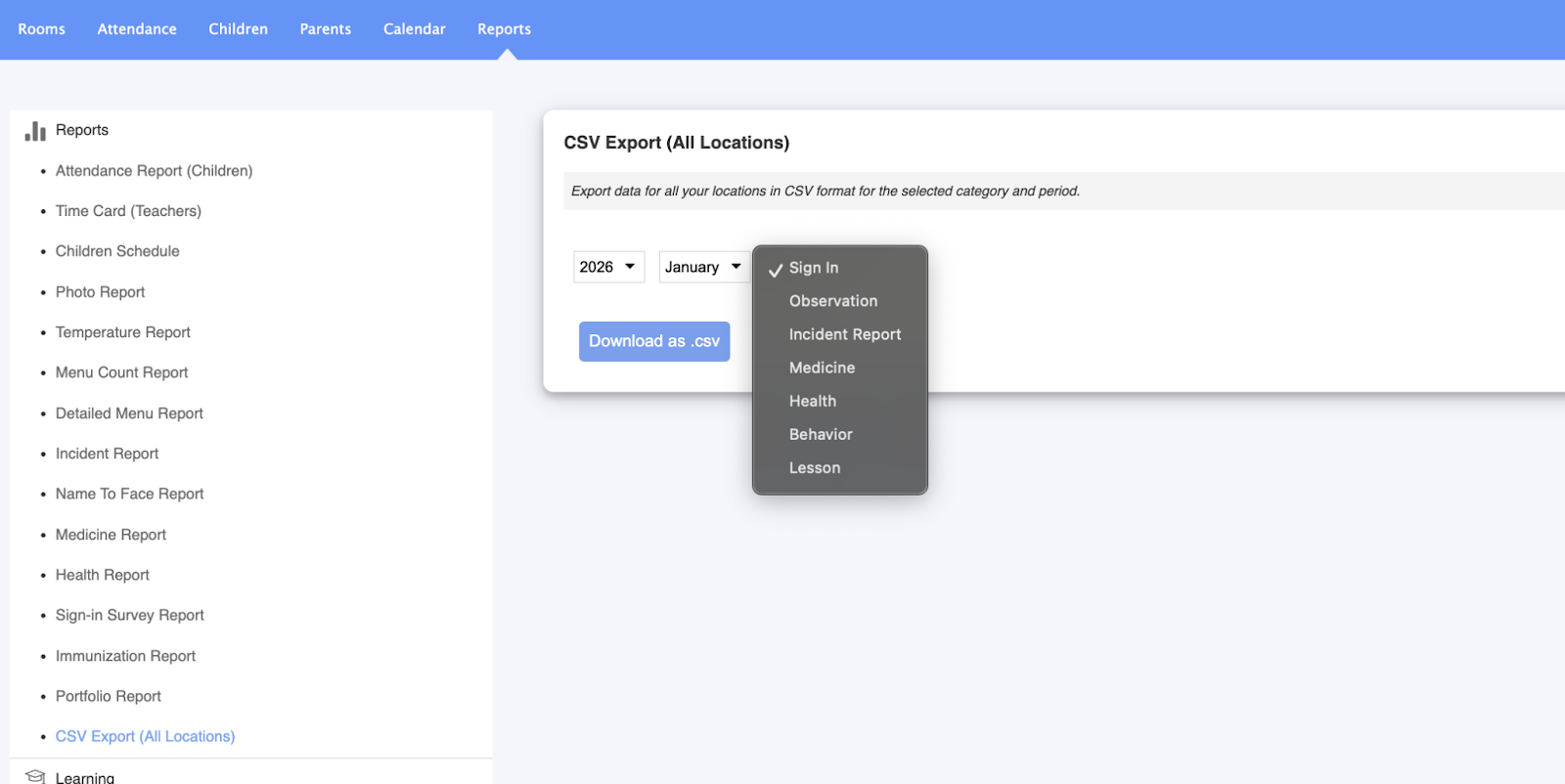
Export to CSV: Easily export your entry history to a CSV file from the Reports section.
? Parent Billing
Add Multiple Discounts for Children: Apply more flexible pricing by adding a second discount to a child, creating multiple discounts on one account. Learn more here.
Discount Report: You can now view a report of all the discounts your center is providing under Parent Billing → Reports, giving you better visibility into discounts.
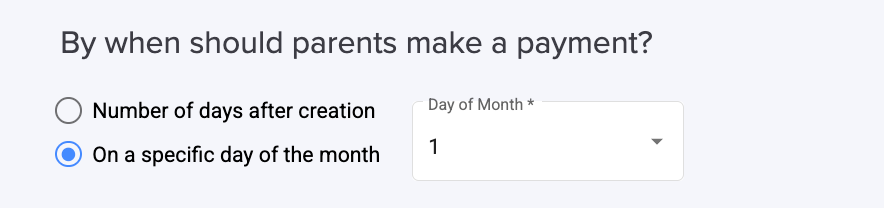
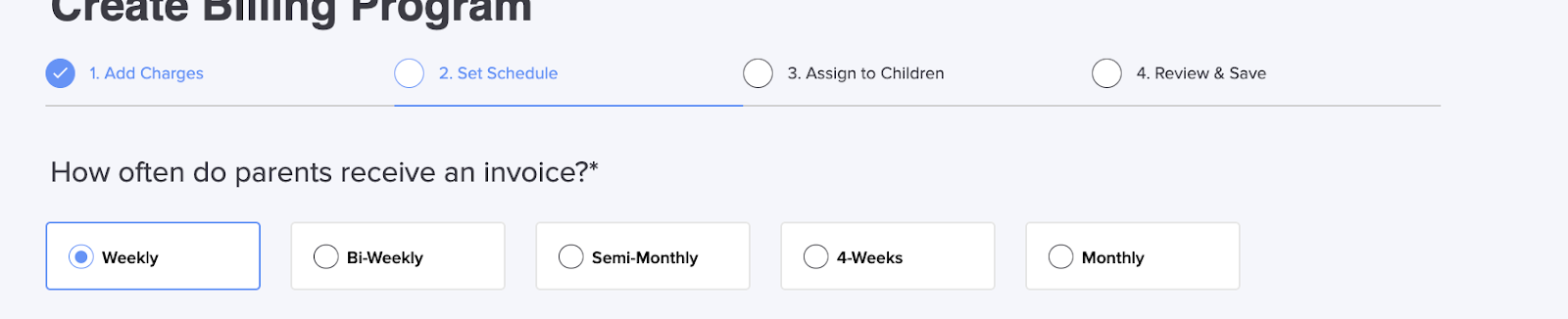
Monthly Billing Due Date: You now have the flexibility to choose the exact due date for monthly billing.
4-Week Billing Option: You can now charge parents every 4 weeks with our new option.
?️ Easier Menu Tracking
CACFP Menu Updates: You can now set menus as private, view menu descriptions directly on the calendar, and edit menus easily from the calendar.
Detailed Menu Report: A new filter lets you view only children who have a sign-in entry but no meal entry.
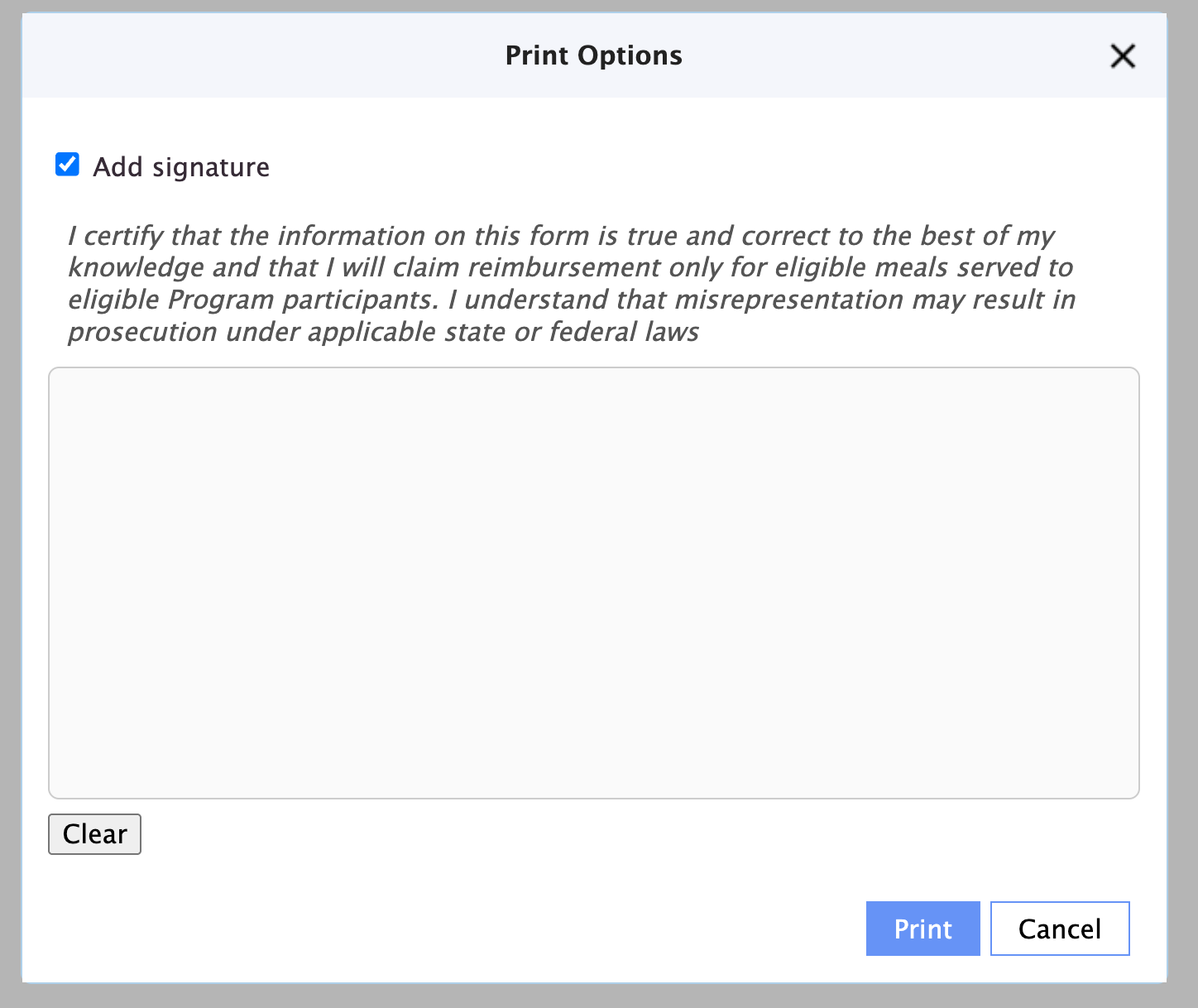
Detailed Menu Report: A new option lets you add a signature before printing your report.
??? Enhanced Enrollment and Store Features
Add Notes to Enrollment Forms: You can now add notes to enrollment forms to track important information. Forms with notes will display a note icon. Learn more here.
Enrollment Enhancements: Once an enrollment form is submitted, it cannot be edited by administrators anymore. A “Close” button now replaces “Submit.”
When an enrollment form is submitted, the completed form is now automatically attached as a PDF to the notification email sent to administrators.
Store Product Enhancement: A new “Do not add the child to a room” option is now available for store products.
Admission Enhancement: When using Admit Child from the store form, you’ll now see the same options available on the enrollment page—including start date, schedule, and billing program. This applies only if the form is not linked to an existing child.
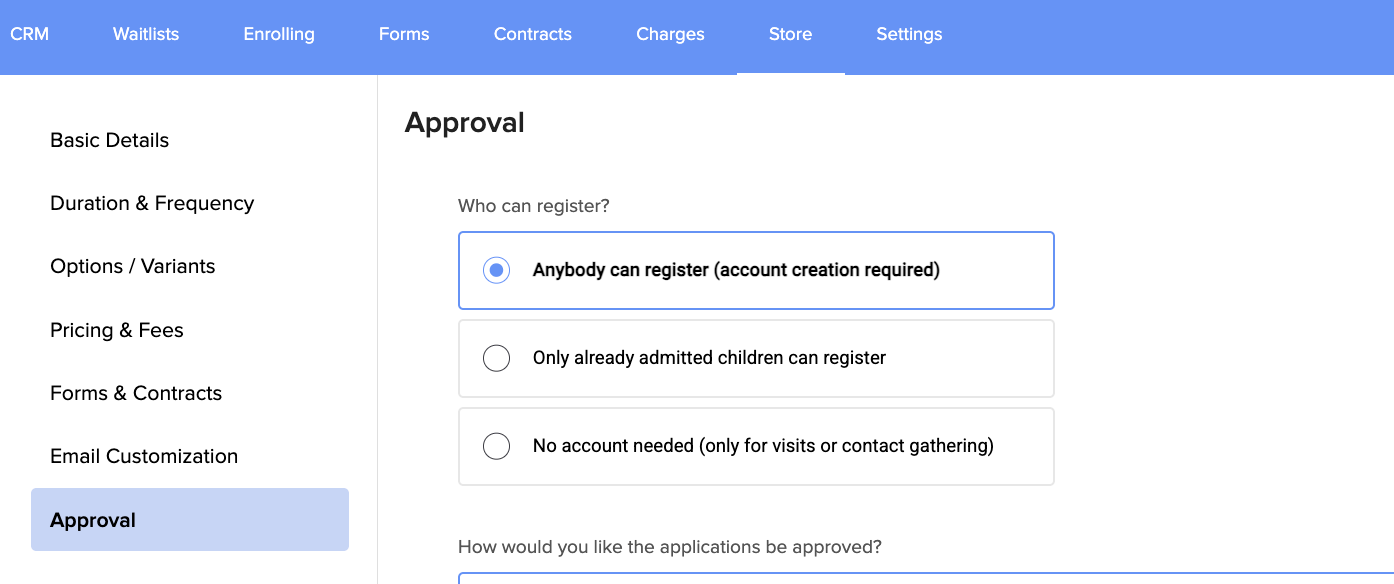
Registration Option Update: A new option, “Anybody can register (account creation required)”, is now available. This setting requires users to create an account before registering and is the default for all products. We recommend using this option for most products, except store products intended for contact collection (such as booking a tour visit).
Filter Enrollment Status: You can now multi-select enrollment statuses to better filter your enrollment view.

Thank you for being part of the Daily Connect community. We’re grateful to support you every day and can’t wait to see what you accomplish this year ?.
Don’t forget to join our Facebook Community to connect with other childcare professionals and stay up to date:
? Join us here: www.facebook.com/groups/dailyconnect
Need assistance? Our support team is always here to help. Simply reach out at support@dailyconnect.com.
Was this article helpful?
That’s Great!
Thank you for your feedback
Sorry! We couldn't be helpful
Thank you for your feedback
Feedback sent
We appreciate your effort and will try to fix the article